
Start here
Set up your code
Find your referral code, make it yours, and put the link in your bio. That link is how views become orders, and how you get paid.
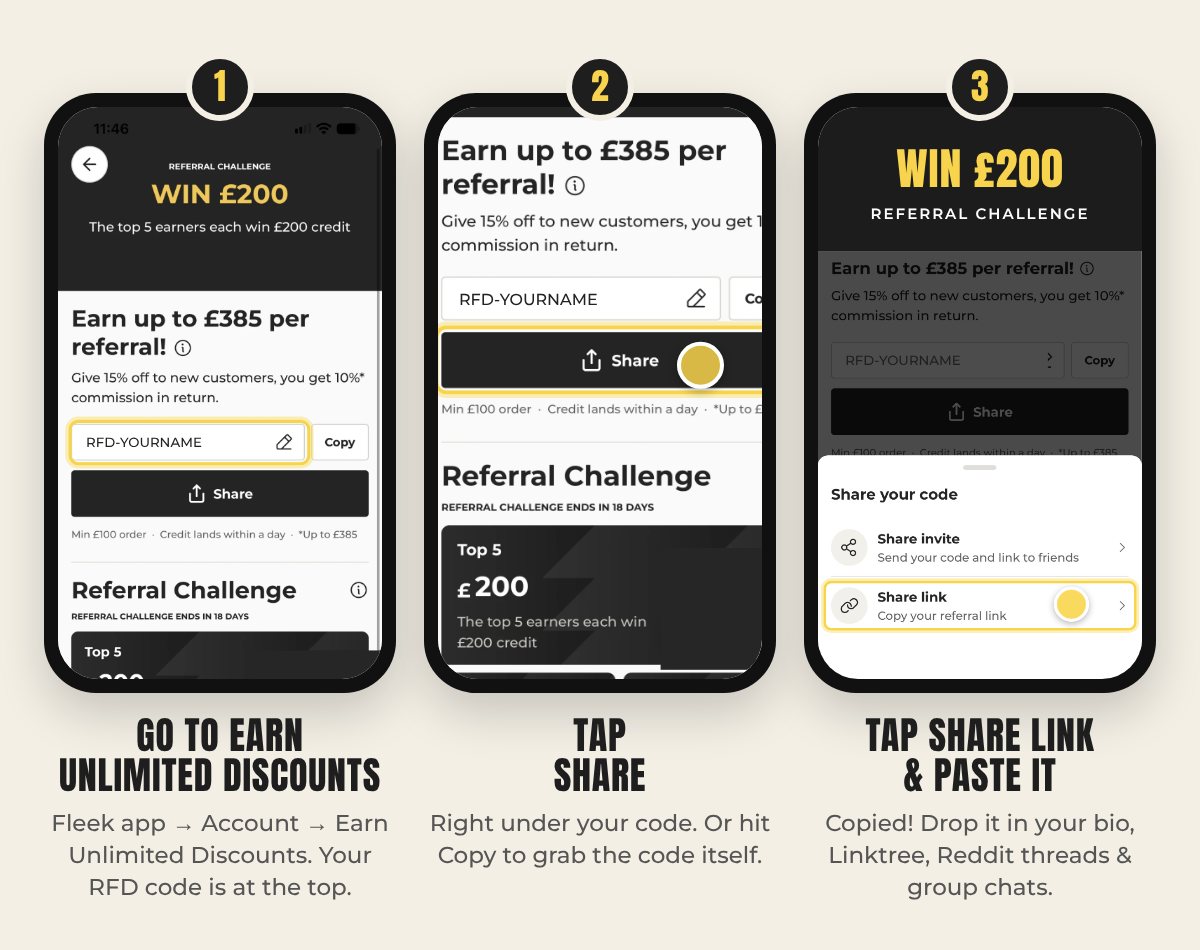
Find your code in 3 taps
Your personal RFD code and link live under Account → Earn Unlimited Discounts in the Fleek app.
Then do these four things
Make it yours
Tap the pencil next to your code and change it to your name or your shop's name. It's easier to remember than the automatic one.
Link in every bio
TikTok, Instagram and YouTube. If you use a Linktree, put your Fleek link at the top.
Write the code too
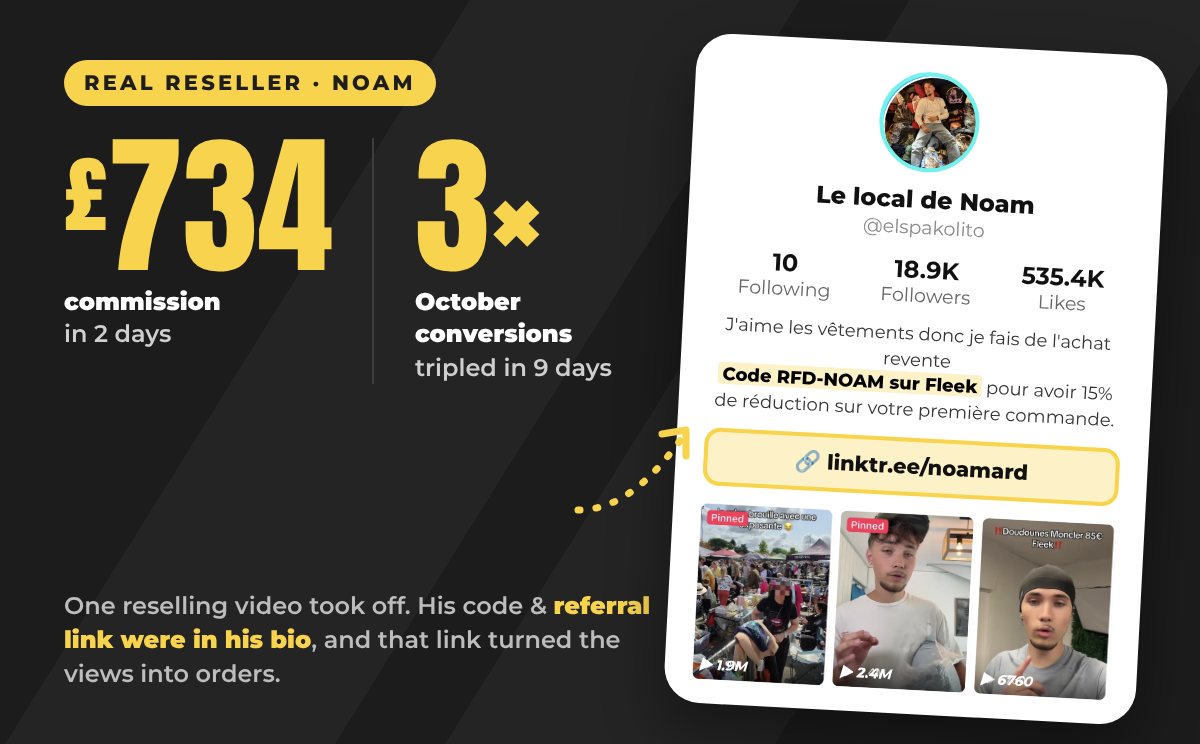
Add a line like Code RFD-YOURNAME on Fleek for 15% off your first order, the way Noam does.
Do it before you post
A video can take off any day. If the link isn't there when it does, those orders don't count for you.
Link in? Send us your video.
Join nowReferred customers get 15% off their first order (min £100 order). Commission is 10%, up to £385 per referral.